Creating a functional communication lesson for non-verbal kids with autism, limited play skills, and fine motor challenges requires a careful approach to make sure the lesson is engaging, motivating, and supportive of their unique needs. Here’s a little list to help you develop a lesson:
a. Objective:
The goal is to enhance functional communication skills in a way that connects with the child’s daily experiences, interests, and abilities. Focus on initiating communication, requesting items or activities, and expressing basic needs.
b. Lesson Structure:
A structured, predictable routine is key for kids with autism. Keep the lesson simple and short (10-15 minutes). Use visuals, and embed movement and sensory activities to keep them engaged.

Tips for a lesson:
1. A welcome routine to start
- Objective: Establish a calm, welcoming routine.
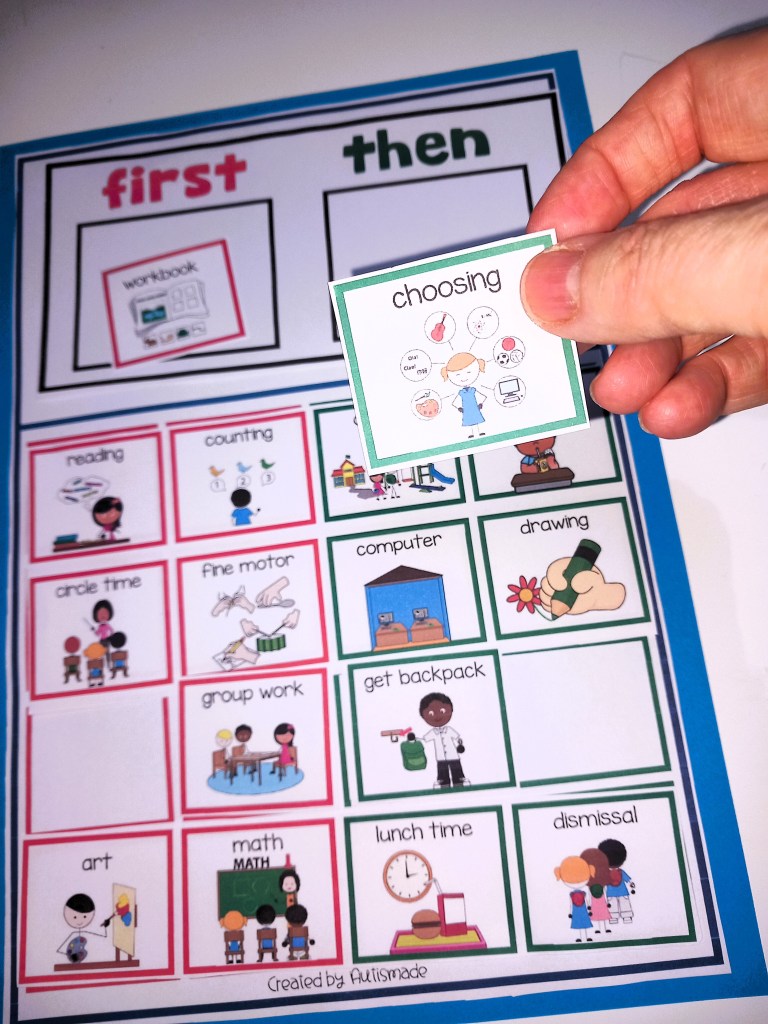
- Activity: Start with a visual schedule (e.g., a picture of “circle time” or “activity time”) to show what will happen.
- Use a familiar greeting song that the child recognizes (e.g., “Hello Song” or any favorite tune) to engage them right from the start.
- Sensory input: If needed, provide sensory support (fidget toys or weighted items) to help them focus.

2. Offer Choice with Visual Supports

- Objective: Encourage the child to make a choice (requesting/indicating preference).
- Activity: Present two choices using pictures or objects. For example:
- Show a picture of a toy and a book and encourage the child to choose by pointing, using a switch, or hand-over-hand if needed. Your student can press a button to make a choice if using communication devices. Once they make a choice, model functional language. If verbal, say, “I want the toy” or “I want the book.” If using a communication device, support them in using the symbol for “toy” or “book.”
3. Use Play with Sensory Feedback

- Objective: Practice requesting during play while incorporating sensory feedback.
- Activity: Select a simple activity that encourages engagement, such as:
- A sensory bin with textured items (rice, beans, or sand). Encourage the child to make choices by pointing, using a communication device, or simple gestures (like reaching for the object).
- Use toys that light up or make sounds when touched (engaging for children with limited play skills).
- Bubble play: If the child enjoys sensory experiences, bubbles can be motivating. Encourage requesting or communicating interest by helping the child point to the bubble bottle or making a gesture to indicate they want to play.
- During play, encourage them to request more, using words, signs, gestures, or a communication board.
4. Routine and Repetition with Transition
- Objective: Create a sense of closure and predictability.
- Activity: Introduce a transition activity such as a song, a closing visual, or a familiar phrase like “All done” to help the child understand the lesson is ending. You can use a visual transition schedule to show them what comes next.
- Provide a small reward or motivation based on the child’s choice (such as a favorite toy, snack, or sensory toy) to reinforce the communication they just practiced.
Prepare Materials
- Visual Schedule (showing the lesson steps with pictures).
- Motivational Items (preferably things the child loves, such as their favorite toys or snacks).
- Objects and Sensory Items (bubbles, textured items, toys that light up or make sounds).
- Communication Tools (such as communication boards, switches, or AAC devices).
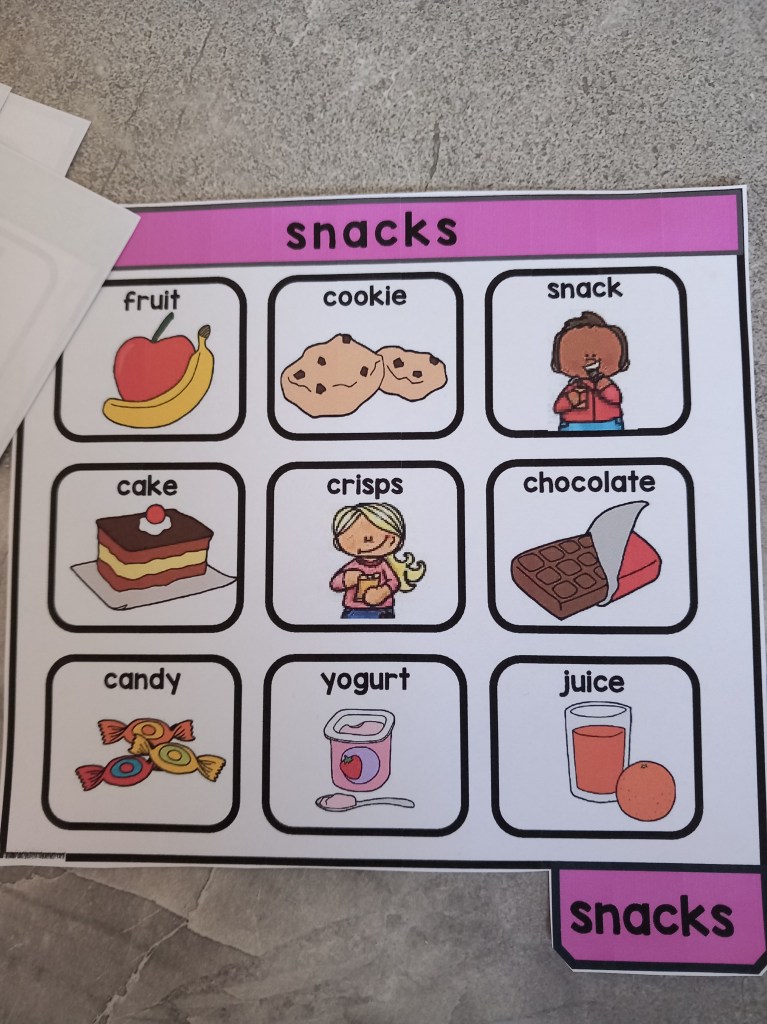
- Choice Board or Communication Cards (pictures of toys, snacks, or activities they can request).
Tips to Engagement
- Use High-Interest Items: Incorporate toys, activities, or songs that are favorites of the child to ensure they stay motivated.
- Use Clear, Simple Language: Always model short, clear phrases like “I want,” “more,” “help,” “finished” in both verbal and non-verbal forms (sign language, gestures, etc.).
- Ensure Success: If a child is struggling with motor skills, assist them (hand-over-hand) but always encourage independent attempts. Keep the pace slow and provide plenty of praise for any communication attempt.
- Incorporate Movement: Since some children may have trouble sitting still, include movement activities like “jumping” or “clapping” as part of the lesson to maintain engagement.

Sample Lesson
Objective: The child will request a preferred toy using a choice board or gesture.
- Greeting Song: “Hello, [child’s name], it’s time to play! use a little song.
- Choice Activity: Place two favorite toys on the table (e.g., a soft ball and a musical toy). Show the child both options and say, “Which one do you want?”
- Interactive Play: Once they indicate their choice, help them engage with the toy. If they point or attempt a sound, praise them, “Great job asking for the toy!”
- Ending Routine: When the play ends, say, “All done, we are finished now,” and play a calming closing song.
Remember: Consistency and patience are key. Small, repeated successes build communication skills, and it’s important to keep the environment structured and fun.
Visit my TPT Store for More Ideas
Visual Behavior Support Folder – Token Rewards Tools, schedules, First & Then,
Visual Supports: Token Reward System/First & Then – Strategies for Special Ed
Classroom Behavior Management Strategies: First, Next and Then Tools
Token Reward folder: Visual support tools with “first & then” Behavior Strategy
First, Next and Then table Schedule Templates with Visual Supports
First Then boards and Help cards: Autism visual supports
Visual Supports:”First, next, then” with Token Rewards Systems
Discover more from Autismade
Subscribe to get the latest posts sent to your email.

