My Centres are the tables that my students rotate around to learn, practice and master skills. I’ve colour coordinated each table and in this post I’ve listed some resources I use for these Independent work areas.
Binder Games
Binder Games have become popular in my Math Center stations, they provided the extra support to students with the practice they need with new skills and working independently . I use 2 types of Binders, both are valuable resources.
Binders with detachable visuals were quick and easy to make up, I laminated, added Velcro to the visuals and placed them in a binder.
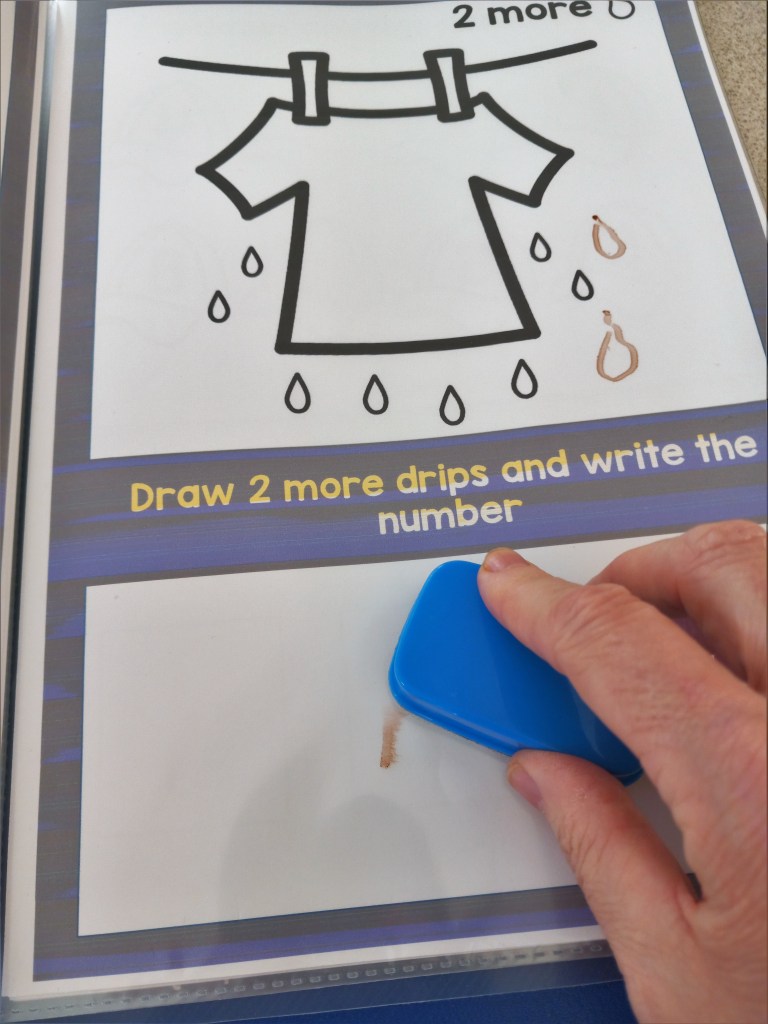
Printable Binders that I printed off and put in plastic sheets as a drywipe activity.
I listed what my students needed to practice in maths and came up with these skills to concentrate on and make the resources I needed. Matching numbers to 10, Count and Match numbers to10 , Ordering numbers to 10, Order numbers to 10, Find the missing number to 10, Find the missing number to 10, Counting to 10, Sequencing summer items.
At the moment we’re Practicing counting forward beginning from a given number within a sequence and adding more to find the amount. My students use a dry wipe marker at their station to access this activity and like that they can wipe off any mistakes and start again.
Matching File Folders
These games are quick and easy to make up, Print out, laminate and Velcro and pop in a file folder and you will have great number games to use over and over again.
Task Boxes
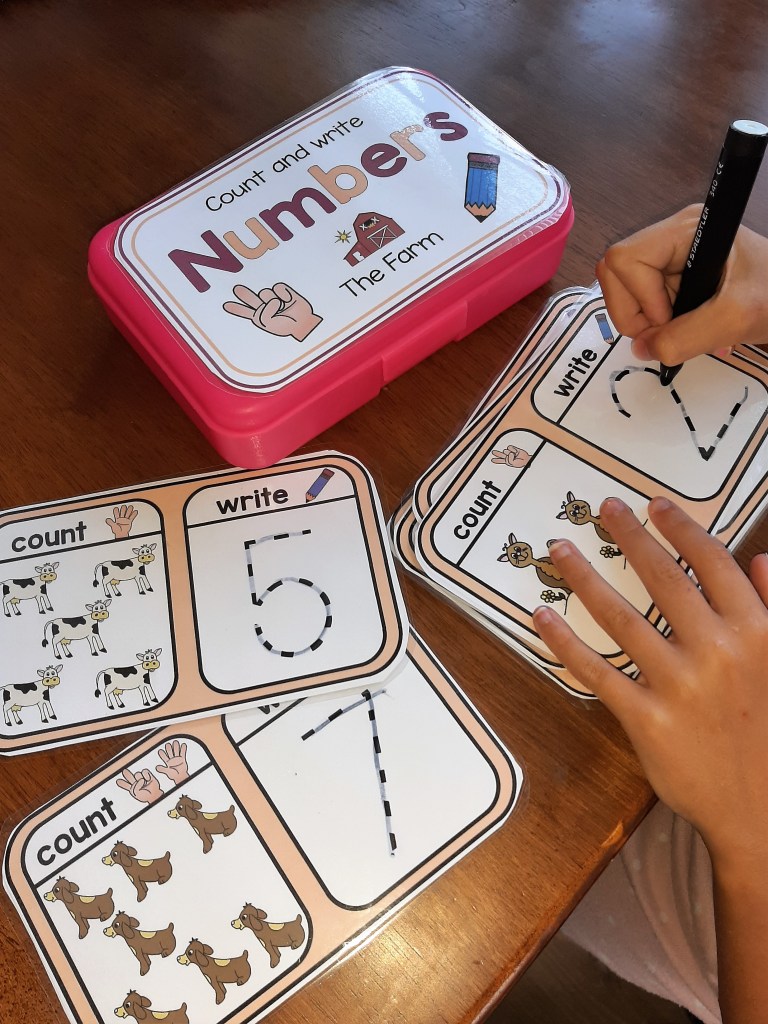
I’ve broken these type of activities down with one question to answer on each card as not to overload the learner. They enable the child to focus not only on the basic academic skills in front of them but strengthen fine motor skills, help the student develop self esteem and promote the independence of the task.
These type of activities can be easily made up from classroom resources and stored in individual boxes ready to use as a Task Box activity on any centre.
Having Management strategies are an essential part of having a successful Special Ed classroom! I knew I needed a more visual approach to achieve this and having a learning environment that my students could become more independent and less frustrated would lead me to succeed.
I began by listing the most important strategies I used in my classroom!
Schedules – Visually set out to reflect the order of the day.
Timers – For giving a break, to tell students how long they need to work and how long left on free time!
Routines – Keep Break, Lunch and free choice the same time each day!
Consistency – Ensure all staff are using the same strategies and are following behaviour plans!
Positive Reinforcers – Use Token Economy Systems, First and Then, Self- Regulation tools and Reward systems tailored to individual interests and likes!
Communication – Critical skills for Functional Communication, a means in which my non verbal student is able to request a “break” “help” or asked to “wait”
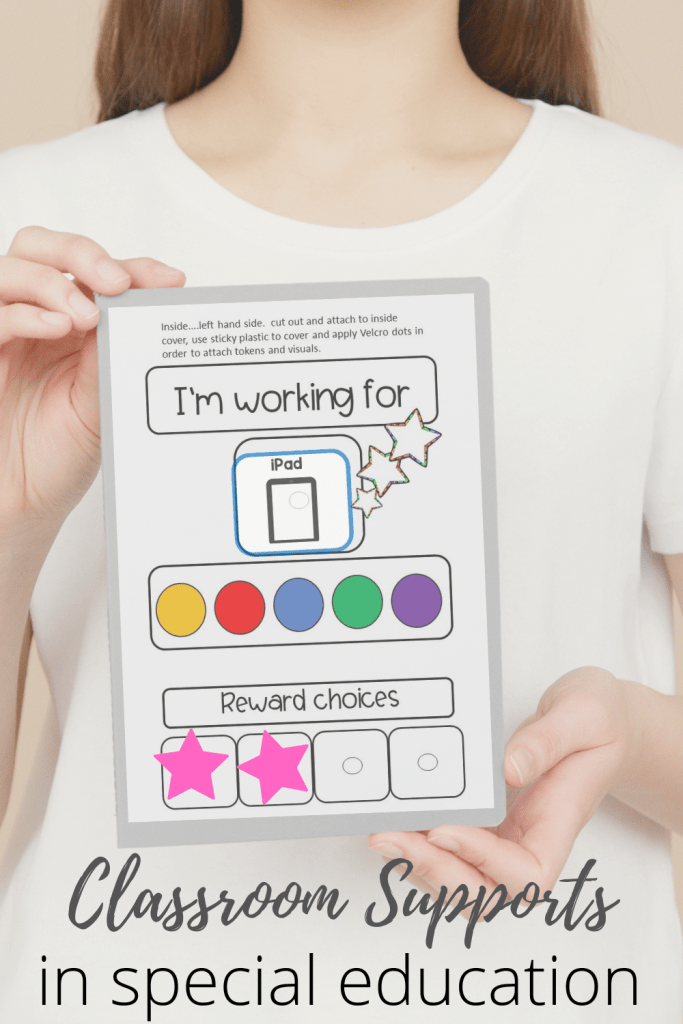
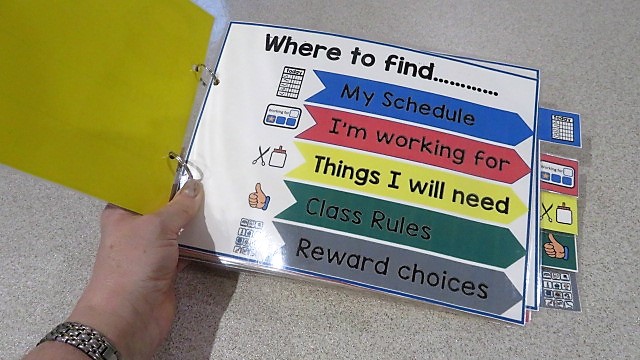
Then I decided to put together a Visual Support! I was pleased that it offered all these strategies and all visuals were kept in one handy place for my students to access through out the school day. There’s a place for the daily schedule to be displayed and a section for the schedule symbols. A token reward system was incorporated plus reward visuals, critical communication cards I added so students could ask for a Break or Help, all while maintaining a consistent approach that my staff could follow!
My students love their individual behaviour supports now I’ve made the token board easily accessible and manageable for little fingers.
Easy to make up!
Once the pages were printed out I popped them on a file folder and covered them with sticky back plastic. The supporting visuals were cut out individually, laminated and attached to the spaces provided with velcro dots.
How to usea Token Board
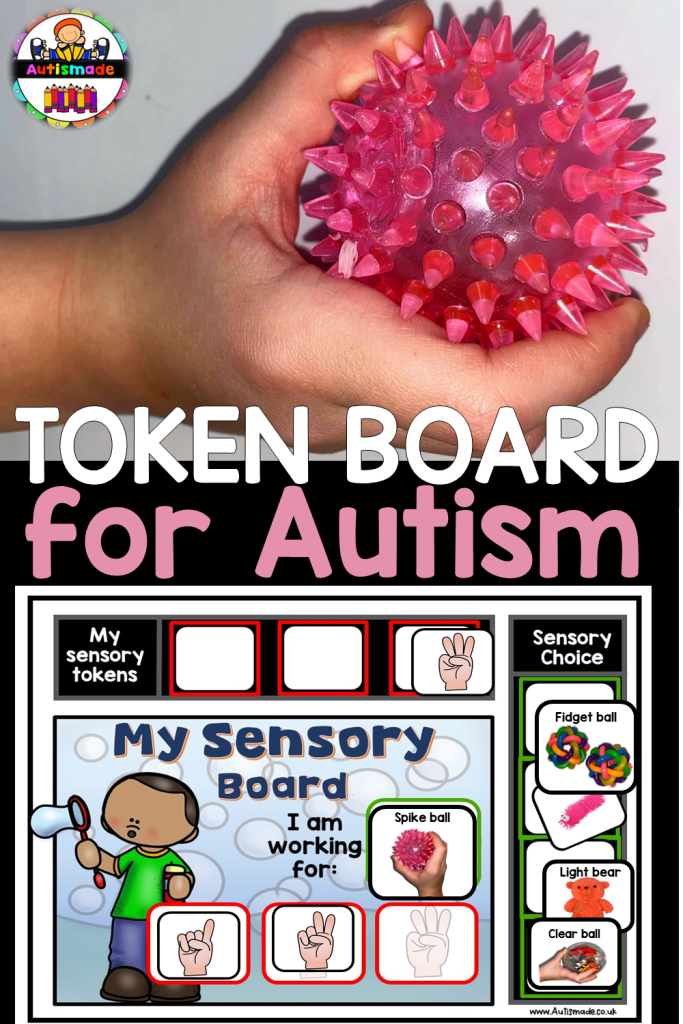
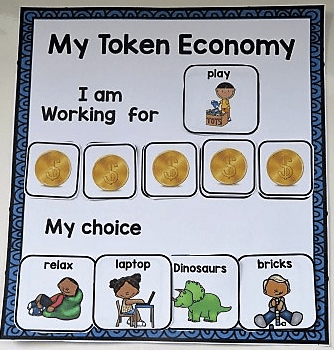
My Students love their personalised folders especially seeing their motivator symbols. Before starting a tasks the student chooses a motivator and place it in the “I’m working for” space. As they work through the task, teachers or support staff give them tokens throughout to keep them motivated. Once all three tokens are given the student can exchange them along with the motivator picture to gain this reward. There’s a space for behavior visuals and a “First and Then” section to keep them on track!
My students are always excited to earn tokens, work hard and earn the reward ….they love it!
They are happy and I am with this positive reward system together in one handy place!
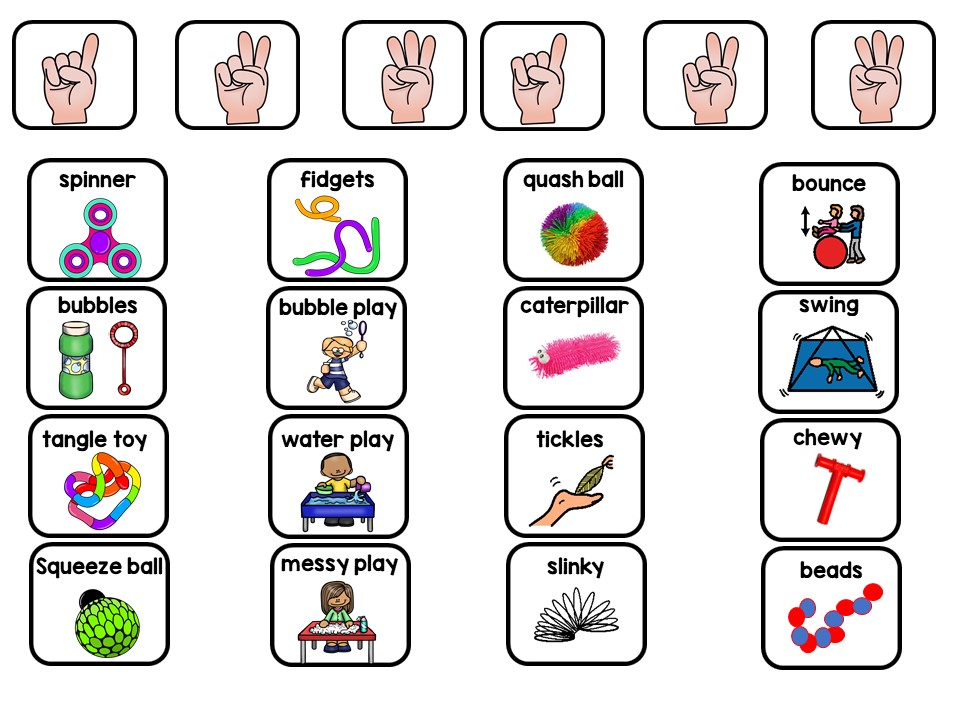
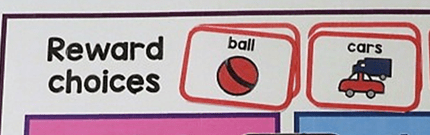
I use the finger icons as count down tokens and the reward visuals go in the choice list. There is also an editable version for you to make your own motivator pictures to match the sensory toys you use.
A motivator assessment before you start work will ensure a successful lesson!
I’ve added this printable to one of my popular products as a thank you for all my followers.
Shop here
Grab this Bonus Printable, |Its added to my First and Then Product!
Are you overwhelmed by the amount of Behavior supports there are available out there! Are you looking for that particular one you need to help you manage behaviors and maintain structure in your classroom! These powerful strategies below might just help you create the classroom you want. Have a look at the different types of classroom management tools I use to achieve the Special Ed class I have.
# 1 Critical Communication Cards
Critical Communication Cards – To teach new skills such as requesting “break please”, “help” and “wait” self -management strategies.
QUICK TIP – I hang these cards close to my Calm Down Corner so my students have easy access.
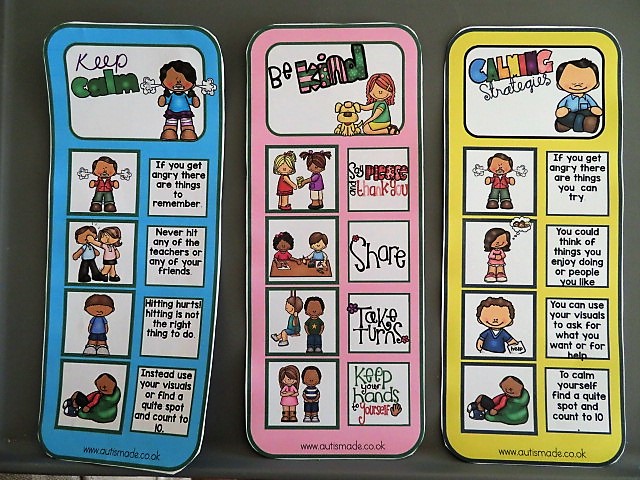
Social Supports – To help my students understand how to behave or respond in a particular situation using a visual guide describing various social interactions, situations, behaviours, skills or concept.
QUICK TIP –I place them on the edge of tables to remind students on their choices.
#3 Visual Folder Supports
Visual folder supports – A place for my students to keep all their daily and most used visuals all in one place, ideal for quick support.
QUICK TIP – My students use these throughout the day and follow the schedule to stay on task. They choose a reward to use with the Token Economy system and have the visuals they might need ready to use.
#4 Self Regulation Tools
.Self regulation tools – I’ve made tools individually accessible for my students to use in a handy little booklet.
QUICK TIP –I bind then as a book and keep them on hand for self management, each one tailored to individual needs that help them to self-regulate.
#5 First and Then Strategies
First and Then –By using this strategy my students know what they must complete before having what they want, it also provides structure in their behaviour support plans.
QUICK TIP –If my students are finding it difficult to stay on track, I use the first and then strategy to remind them of what they are working for.
#6 Token Economy Rewards
Token Economy – A powerful method of strengthening new skills and behaviours, The tokens are a way of “paying” my students for completing tasks and then they can be used to trade for desired activities or items they choose.
QUICK TIP –I use this board when I start teaching the Token economy strategy, its a classroom resource that I can adapt with motivator choices for individual needs.
#7 Communication Binder
Communication Binder – My students can use their Daily Binders to aid Communication throughout the day and support them with any frustration or anxiety they may feel.
QUICK TIP –My student each have their own communication book which once laminated I place in a binder to keep the visuals safe
#8 Daily Visuals
Daily Visuals – A selection of visuals for Speech Therapy, Special Education and Autism to support communication in the classroom and at home. QUICK TIP –These have bigger visuals which are more suitable for students that are learning picture to item recognition. Students can point to what they want, need or feel.
#9 Token or Ticks Cards
Token or ticks – Point cards for some of my students to earn ticks for preferred behaviour.
QUICK TIP – I print a stack of these out to use when i need them, usually when I’m teaching a focused task. I ask before starting the task what they want to working for and tick off the boxes throughout to keep them motivated and earn the reward they’ve chosen..
#10 Daily Planner
Daily Planner – This Support folder is a place for my student to keep track of the days of the week, check their schedule, ask for task items they may need and support behavior before it arises.
QUICK TIP –A class daily organiser for my higher ability students. It helps them manage their day, hold motivator visuals, and reminds them of the rules in class.