Waiting is one of the hardest skills for young learners to master, especially for nonverbal children in Special Education. When a child cannot understand the spoken word the idea of “wait” can feel confusing, frustrating or even impossible.
This is where the visual supports help turn spoken words into something students can see. For many learners, visuals are easier to process than language alone. They make expectations clearer, reduce anxiety, and help students feel more confident about what comes next.
What Is Wait Time?
One simple way to use visuals that makes a big difference is during wait time.
Wait time is the pause after you ask a question or give a direction. For some students, especially those with autism, processing language takes a little longer. When adults rush in with prompts or repeat directions too quickly, students may lose the chance to respond independently.
How Visual Cue Cards Help
Visual wait time cards give students a clear signal that it’s okay to pause and think. Instead of filling the silence with more words, the visual does the talking.
These cards help students understand:
What they should be doing
That a response is expected
That help will come, just not yet
Waiting becomes predictable instead of stressful.
Easy Visual Wait Time Tools Teachers Love
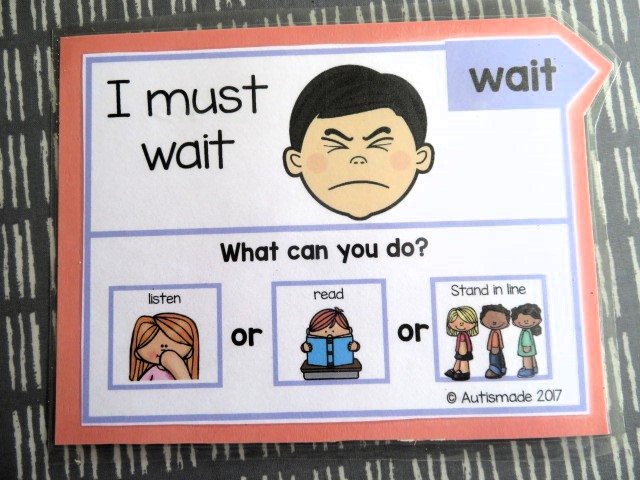
“Wait” cards use a simple word or symbol to remind students to pause.
Visual timers or countdown cards show how long the wait will last.
Thinking time cards let students know it’s okay to take a moment before answering.
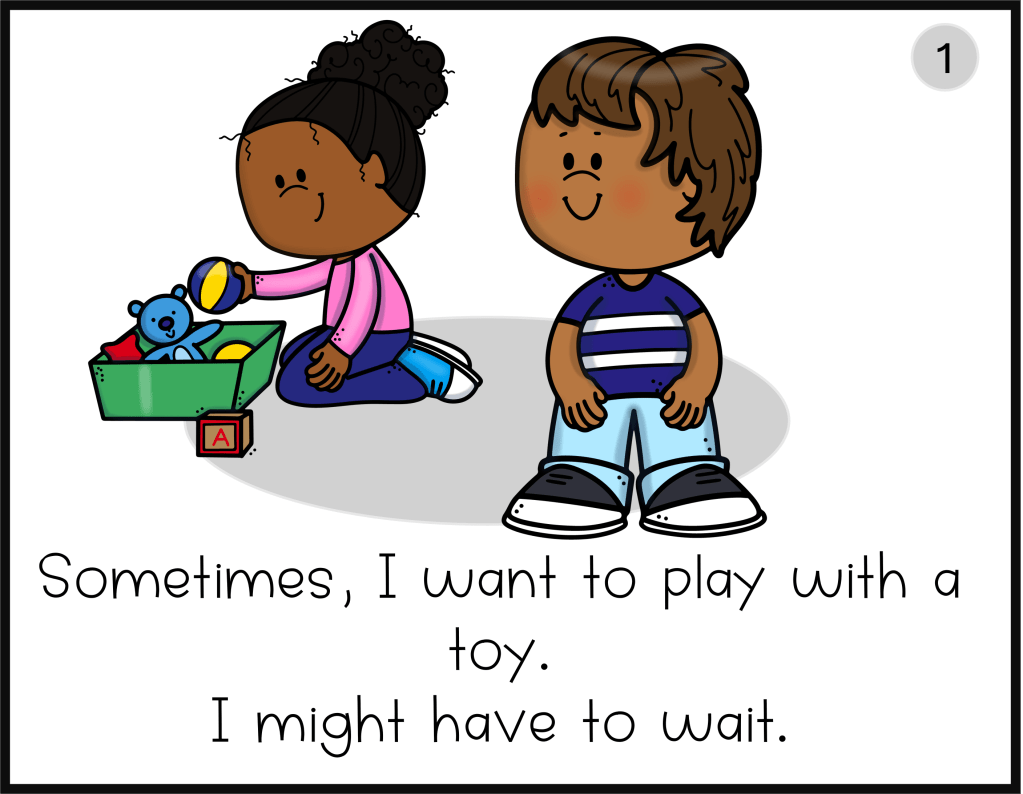
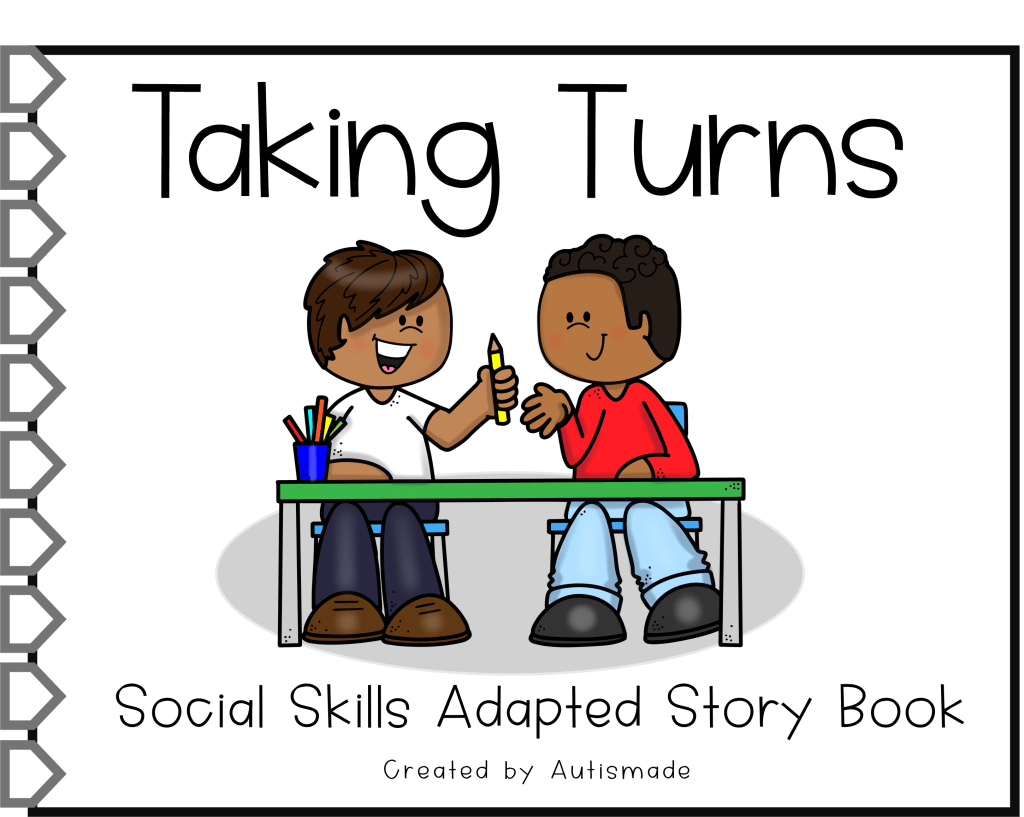
Turn-taking visuals clearly show whose turn it is during games or group work.
Classroom Tips for Success
Teach the visual during calm moments
Pair it with a brief verbal cue, then stay quiet
Avoid repeating directions while the visual is shown
Praise the act of waiting, not just the final response
These printable cards help non-verbal children to communicate and regulate in Preschool, kindergarten and Special Education.
As a teacher our goal is to plan and make lessons accessible and these visual support cards are made to teach Functional communication skills to enable students with Special needs, be ready for the lessons you’ve planned.
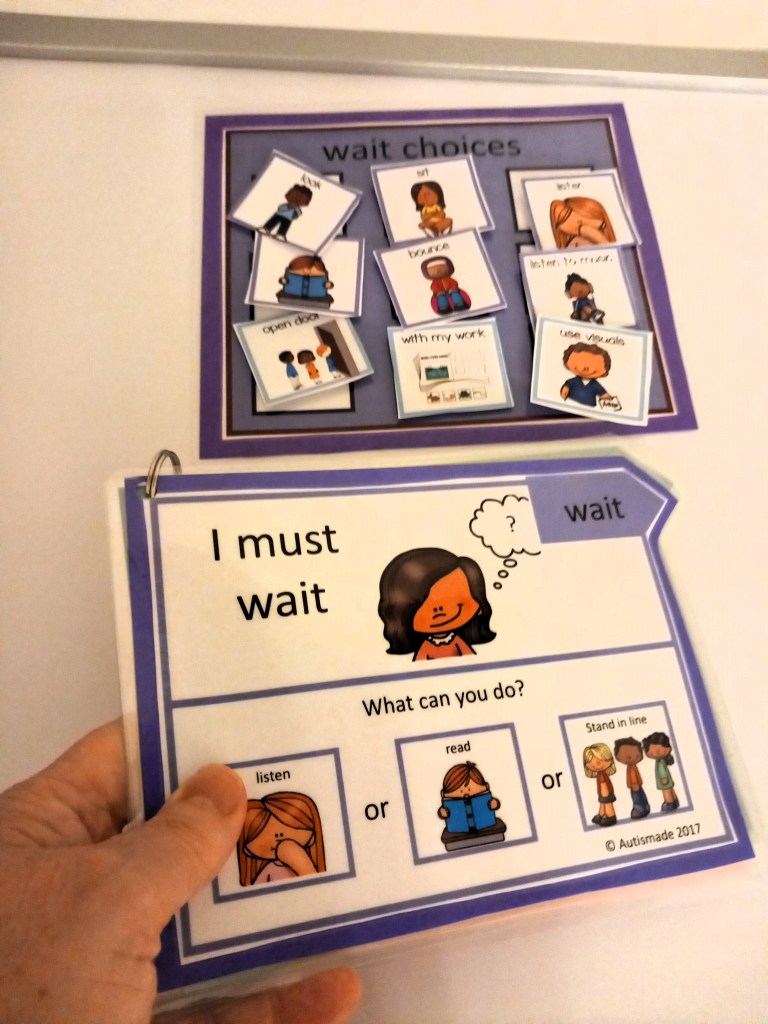
These supports for social and emotional learning each have visual directions at the bottom of each card, which can help before unwanted behavior escalates by giving cue images for kids to know what alternative behaviors they can follow to regulate.
How to prepare
To prepare these cards, print out on cardstock, cut out and laminate for durability.
How to use
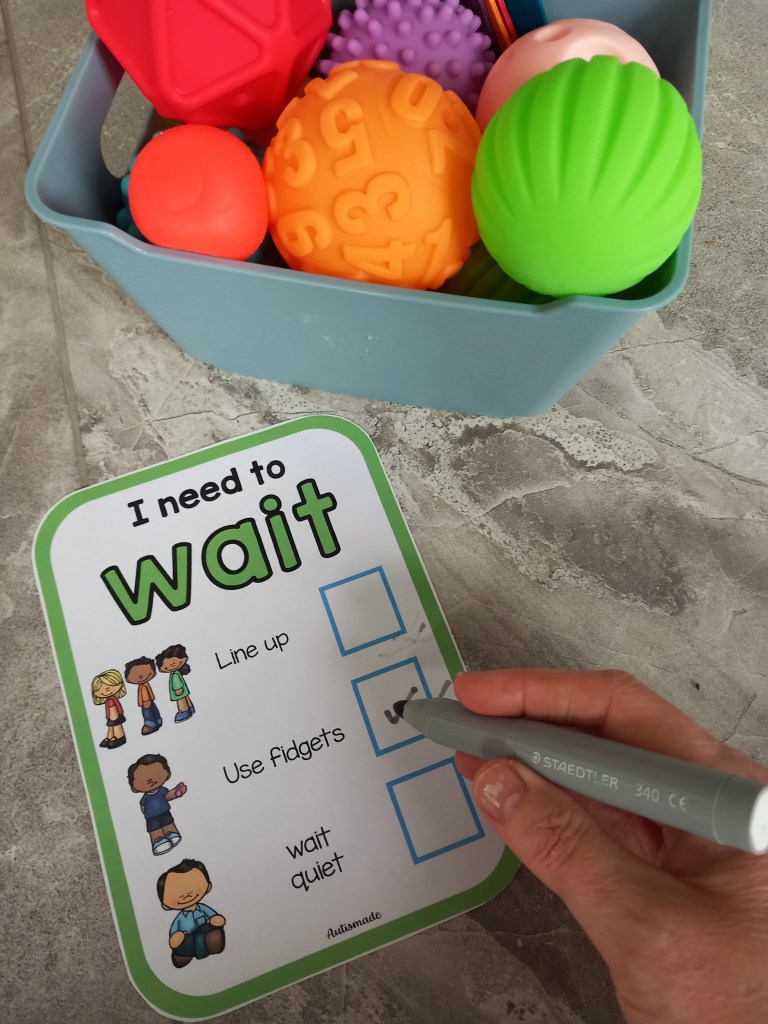
Add to Calm Down Corners. Have them handy on workstations and centers. Use “Wait” cards with a fidget box for students to use while they wait.
Having a selection of Communication Strategies ready to use is always a good idea in Special Ed! Having a visual schedule is one strategy I find very effective in class. Below I’ve listed my schedule tips and other strategies that have really helped my young leaners settle into a structured learning environment.
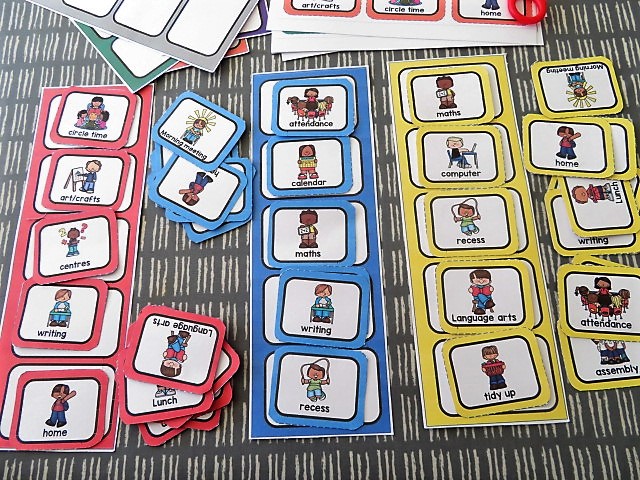
Visual Schedules – Set out visuals to reflect the order of the class day. They should be designed to support your student through a smooth transition eg. from activity to activity, room to room or within tasks.
Here are some quick tips for setting up and getting started!
1. START SIMPLE – Make visuals for just meaningful times of the day eg, morning work, break, lunch etc, this will help your young students learn to recognise and correspond each picture with each of the activities.
2.BUY A LAMINATOR – Your laminator will become important! If you want all your hard work to last, laminate all mounts and visuals because they are going to go through a tough time!
3. WALL MOUNT – Mount on a wall, the schedule must be low enough for your student to access and take away finished symbols in the daily routine.
4. USE A FINISHED BOX – Attach a finished box at the end or side of the schedule to drop the finished visuals in before starting a new activity.
5. TRY A FILE FOLDER – A portable schedule can be used in a file folder in the same way as a wall mounted one. I find these easier with older children to check into the activities and more efficient in busy classrooms. Pop their name on it and keep all their individual support visuals in one place.
6. MODLE AND PRACTICE – Always model, practice and remind your busy student at the beginning of each activity to, “check in”. Make a plan to pull back on all prompting until they begin to use this system independently!
Timers – For giving a break and reminding students how long they need to work and how long left on free time!
Routines – Keep Break, Lunch and free choice the same time each day!
Consistency – All staff should use the same strategies and follow this classroom management structure!
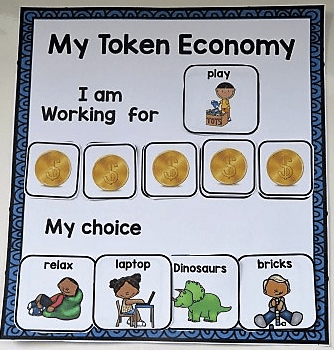
Positive Reinforcers – Use token reward boards, First and Then, Behavior regulation tools and Reward systems tailored to individual interests and likes!
Communication – Critical skills for Functional Communication, a means in which your non verbal student is able to request a “break” “help” or asked to “wait”
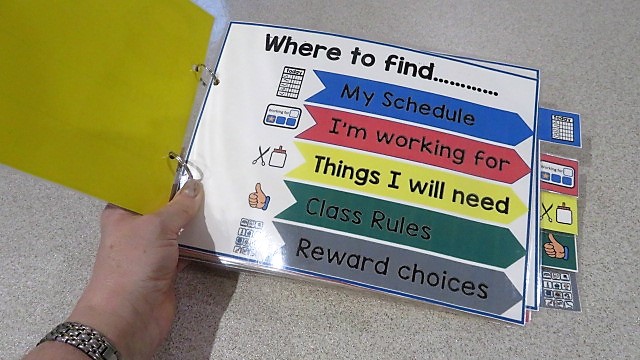
Colour Coordinate – For some of my young learners I’ve introduced portable schedules, that I’ve colour coordinated! I’m pleased it offers all the strategies I wanted to incorporated throughout the day. I keep them in a handy place for my students to access first thing in the morning and follow the schedule by checking into the work areas they need to complete. There’s a set place in the booklet for the schedule symbols, a token reward system, plus a place for reinforcer visuals and Critical Communication cards so students can ask for a Break or Help, all while reminding and keeping a consistent approach that staff can help students to follow!
Visual supports can help reduce frustration by giving non verbal students a way to Communicate. Having a variety of activities that are available in class and being able to ask for what is wanted can help reduce behavior throughout the day.
This is why I always keep a selection of visual choices handy in my calm down area, ready for when problems arise! Struggling students are able to find the visual displayed on a board that will help them reduce these emotions to carry on learning.
I display only the visuals that are available to the students on given days and a wider choice throughout the week.
Are you overwhelmed by the amount of Behavior supports there are available out there! Are you looking for that particular one you need to help you manage behaviors and maintain structure in your classroom! These powerful strategies below might just help you create the classroom you want. Have a look at the different types of classroom management tools I use to achieve the Special Ed class I have.
# 1 Critical Communication Cards
Critical Communication Cards – To teach new skills such as requesting “break please”, “help” and “wait” self -management strategies.
QUICK TIP – I hang these cards close to my Calm Down Corner so my students have easy access.
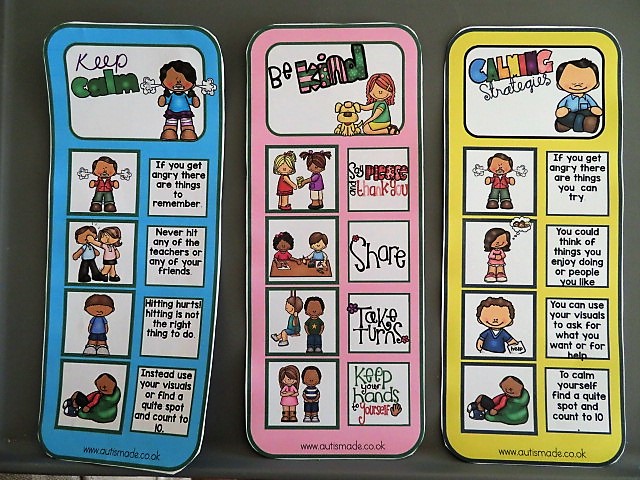
Social Supports – To help my students understand how to behave or respond in a particular situation using a visual guide describing various social interactions, situations, behaviours, skills or concept.
QUICK TIP –I place them on the edge of tables to remind students on their choices.
#3 Visual Folder Supports
Visual folder supports – A place for my students to keep all their daily and most used visuals all in one place, ideal for quick support.
QUICK TIP – My students use these throughout the day and follow the schedule to stay on task. They choose a reward to use with the Token Economy system and have the visuals they might need ready to use.
#4 Self Regulation Tools
.Self regulation tools – I’ve made tools individually accessible for my students to use in a handy little booklet.
QUICK TIP –I bind then as a book and keep them on hand for self management, each one tailored to individual needs that help them to self-regulate.
#5 First and Then Strategies
First and Then –By using this strategy my students know what they must complete before having what they want, it also provides structure in their behaviour support plans.
QUICK TIP –If my students are finding it difficult to stay on track, I use the first and then strategy to remind them of what they are working for.
#6 Token Economy Rewards
Token Economy – A powerful method of strengthening new skills and behaviours, The tokens are a way of “paying” my students for completing tasks and then they can be used to trade for desired activities or items they choose.
QUICK TIP –I use this board when I start teaching the Token economy strategy, its a classroom resource that I can adapt with motivator choices for individual needs.
#7 Communication Binder
Communication Binder – My students can use their Daily Binders to aid Communication throughout the day and support them with any frustration or anxiety they may feel.
QUICK TIP –My student each have their own communication book which once laminated I place in a binder to keep the visuals safe
#8 Daily Visuals
Daily Visuals – A selection of visuals for Speech Therapy, Special Education and Autism to support communication in the classroom and at home. QUICK TIP –These have bigger visuals which are more suitable for students that are learning picture to item recognition. Students can point to what they want, need or feel.
#9 Token or Ticks Cards
Token or ticks – Point cards for some of my students to earn ticks for preferred behaviour.
QUICK TIP – I print a stack of these out to use when i need them, usually when I’m teaching a focused task. I ask before starting the task what they want to working for and tick off the boxes throughout to keep them motivated and earn the reward they’ve chosen..
#10 Daily Planner
Daily Planner – This Support folder is a place for my student to keep track of the days of the week, check their schedule, ask for task items they may need and support behavior before it arises.
QUICK TIP –A class daily organiser for my higher ability students. It helps them manage their day, hold motivator visuals, and reminds them of the rules in class.